 Yolopment
Desktop software for the work your office does every day
When a program on your own computers suits you better than a website, we build it around your counter, office or workshop process.
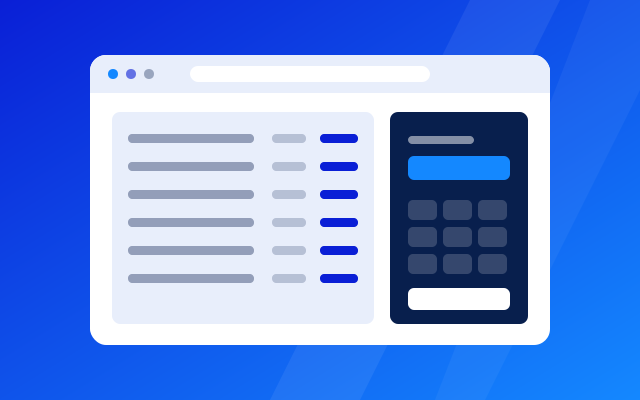
Desktop Application
Software shaped around your counter and office
Spreadsheets and paper registers work until several people need the same information. A dedicated program can keep records consistent and reports quick to prepare.
Before choosing a technology we look at your computers, printers, internet reliability and the number of people who will use the system.
Scope
What we can do for you
Billing and point of sale
Fast invoice entry, receipts and daily sales summaries.
Inventory management
Stock in and out, low-stock alerts and purchase records.
Records management
Students, patients, members, customers or assets in one searchable place.
Accounts support
Expense, payment and due tracking with exports.
Reporting tools
Printable and exportable reports filtered the way you need.
Upgrading old software
Move data and workflows from an outdated program or spreadsheets.
Benefits
What you can gain
Built for the counter
Screens follow the order in which staff work.
Offline option
Can be designed to work without internet.
Consistent records
One structure replaces scattered files.
Quicker reports
Daily summaries come from stored data.
What the work can include
The exact scope is confirmed with you before you start.
- Requirement study of your current process
- User roles and logins
- Printer and barcode support where needed
- Data backup and restore
- Installation and setup
- User handover
Tools and formats
- Chosen per project: operating system, offline use, hardware and number of users decide it
How we work
Five steps from idea to launch
Understand
We learn your goal, users and current way of working.
Plan
Scope, priorities, quote and schedule are agreed.
Design
You review screens or concepts before the build.
Build and test
We develop in stages and test on real screen sizes.
Launch and support
We deploy, hand over and agree ongoing care.
Common questions
Can the software work without internet?
A desktop application can be designed to work offline. Tell us early if this matters, because it shapes the design.
Which operating systems can it run on?
We agree this at the start, based on the computers you actually use.
Can my existing spreadsheet data be imported?
Often yes, once we have checked the format and quality of the data.
Desktop software or web software: which is better?
Desktop software suits work on fixed computers, especially where internet is unreliable. Web software suits access from several places and devices.
What about backups?
Backup and restore should be part of the design. Ask where copies are kept, how often they are made and how a restore is tested.
Start here
Discuss your desktop application requirement
Send a short description and we can discuss the scope.
- Tell us what you need
- We discuss your requirement and ask questions
- You receive the proposed scope and next steps